

Security & Passkeys
What is a passkey?
Section titled “What is a passkey?”A passkey is a cryptographic credential stored on your device (or in your password manager). Instead of a password you authenticate with your biometrics or device PIN. Passkeys are phishing-resistant and significantly faster than magic links.
Opening the Security section
Section titled “Opening the Security section”Go to Settings → Security (shield icon).
Registering a passkey
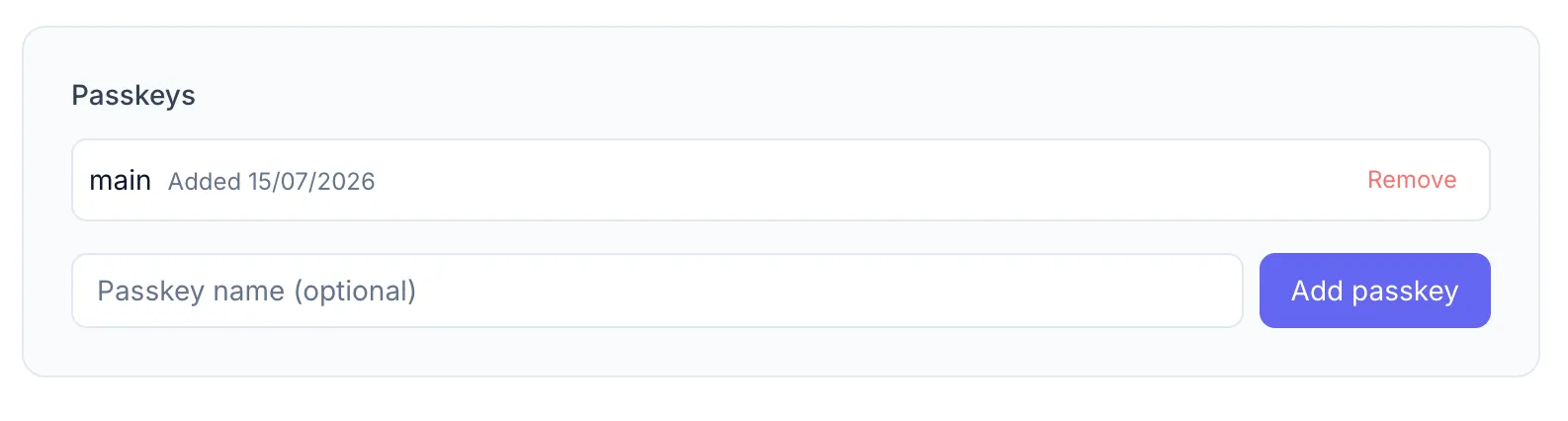
Section titled “Registering a passkey”- Optionally enter a Passkey name (e.g. MacBook Pro, iPhone 15) so you can identify it later.
- Click Add passkey.
- Your browser prompts you to authenticate with your device. Follow the on-screen instructions.
- On success you’ll see a “Passkey registered!” toast and the new passkey appears in the list.
Managing passkeys
Section titled “Managing passkeys”The passkey list shows each registered passkey with its name (or “Unnamed passkey”) and registration date.
To remove a passkey, click Remove next to it. This is permanent — you’ll need to re-register if you want to use that device again.