

Generating via the API
The API Example modal
Section titled “The API Example modal”After saving a template, click the API example button (the </> icon in the header, next to the Generate button). The API Example modal shows ready-to-use code for rendering this specific template, pre-populated with its ID and variable names.
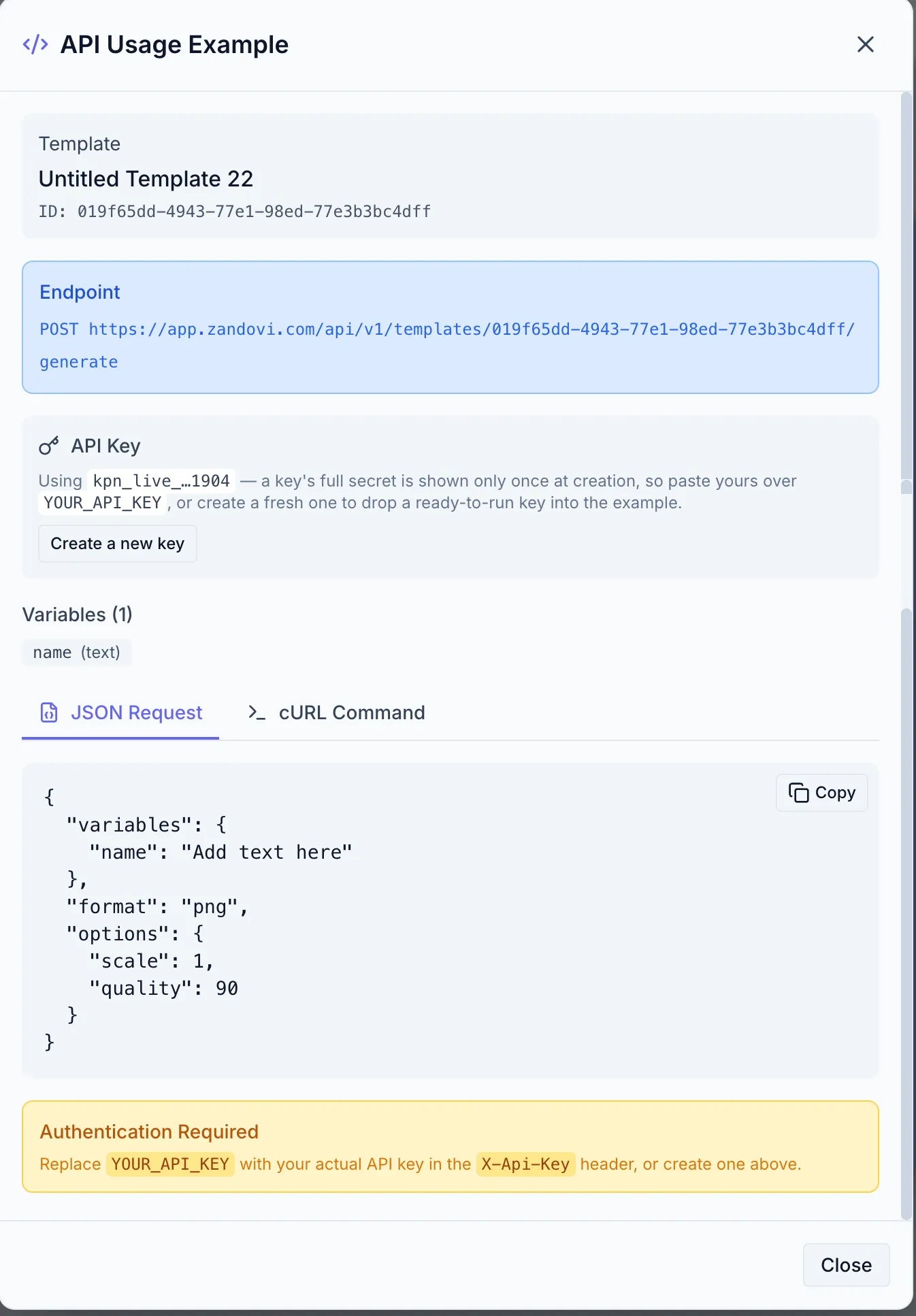
Copy the snippet into your codebase, replace the placeholder with a key from Settings → API Keys, and you’re rendering.
Quick reference
Section titled “Quick reference”Authenticate with the X-Api-Key header and POST to the template’s generate endpoint. By default the response is the image itself (binary), which you save or stream onward:
curl -X POST https://app.zandovi.com/api/v1/templates/$TEMPLATE_ID/generate \ -H "X-Api-Key: $ZANDOVI_API_KEY" \ -H "Content-Type: application/json" \ -o coupon.png \ -d '{ "variables": { "first_name": "Sarah", "discount_code": "VIP30" }, "format": "png", "options": { "scale": 2 } }'Add "delivery": "link" to the body and the same call publishes the render and returns JSON with a public URL instead — see Share Links.
Rendering many images from the same template? Submit them all as one batch job (POST /api/v1/batch-jobs) and download a ZIP when it finishes — see Batch Rendering.
Getting the template ID
Section titled “Getting the template ID”The template ID is a UUID shown in the URL when the template is open in the Designer (e.g. …/templates/019463b8-1234-…) and in the API Example modal. You can also list templates via the API — see Templates & schema discovery.
Full API documentation
Section titled “Full API documentation”The API Reference covers authentication, schema discovery, every render option, error handling, and quotas:
- API Overview
- Quickstart — first render in a few minutes
- Authentication
- Templates & schema discovery
- Generating images
- Batch rendering
- Completion callbacks
- Share links
- Errors, quotas & rate limits