

Variable Schema & API Preview
What is the variable schema?
Section titled “What is the variable schema?”Every template that contains one or more variable-bound elements has a schema — a machine-readable description of the variables it accepts. The schema is used by the API to validate render requests, and is shown in the API documentation for that template.
The API Preview code block
Section titled “The API Preview code block”In the Variable tab for each element, the API Preview section shows a read-only JSON snippet for that specific variable. For example, a required text variable named discount_code with a label of “Discount Code” looks like:
{ "discount_code": { "type": "text", "label": "Discount Code", "required": true, "default": "SAVE10" }}An image variable named profile_photo with fit = "cover" looks like:
{ "profile_photo": { "type": "image", "label": "Profile Photo", "required": false, "fitMode": "cover" }}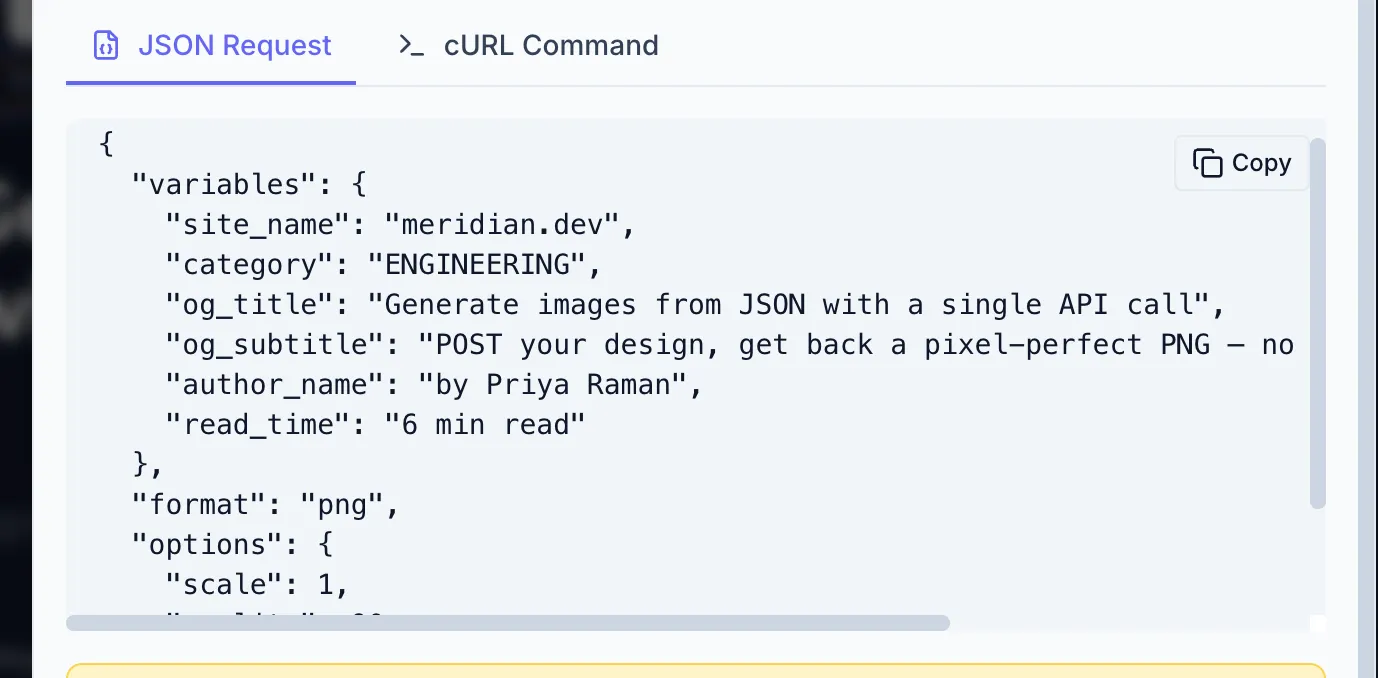
Viewing the full schema
Section titled “Viewing the full schema”The complete schema for a template (all variables combined) is available from the header API example button (code icon), which opens the API Example modal showing the schema alongside a ready-to-run render request.
This schema documents exactly which variables the template accepts. A developer reads it to know which keys to send in the variables object. The same information is available live from the API via GET /api/v1/templates/{id} — see Templates & schema discovery.
How render requests use the schema
Section titled “How render requests use the schema”When your developer generates an image they POST to the template’s generate endpoint with a variables object whose keys match the variable names you defined:
curl -X POST https://app.zandovi.com/api/v1/templates/$TEMPLATE_ID/generate \ -H "X-Api-Key: $ZANDOVI_API_KEY" \ -H "Content-Type: application/json" \ -o coupon.png \ -d '{ "variables": { "first_name": "Sarah", "discount_code": "VIP30", "redemption_url": "https://shop.example.com/redeem/VIP30" }, "format": "png" }'The response is the rendered image itself. Required variables that are missing return a validation error; optional variables that are missing use their default values. See Generating images.