

Usage & Quotas
Quota bars
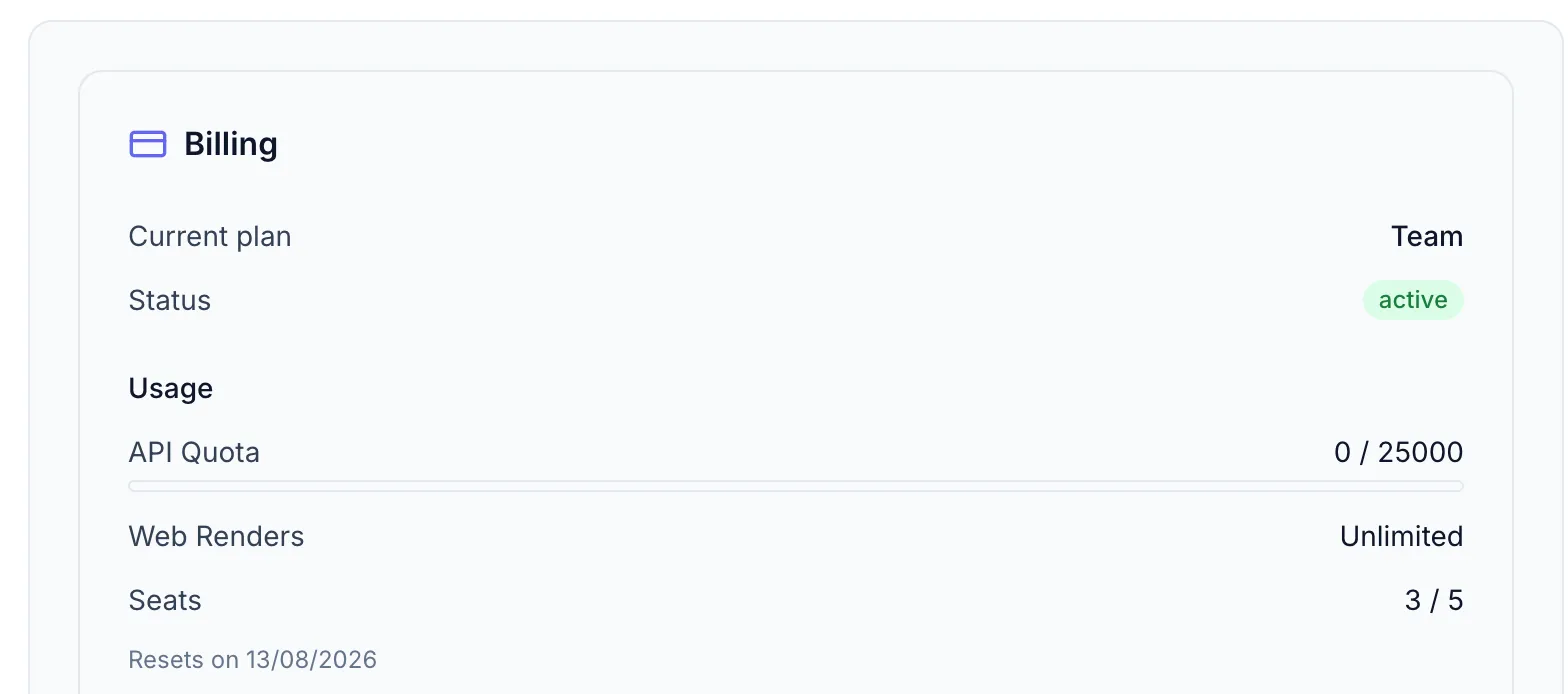
Section titled “Quota bars”In Settings → Billing usage bars show your current consumption:
| Bar | What it tracks |
|---|---|
| API Quota | Renders triggered via the API, and every CSV batch — including batches submitted from the Designer |
| Web Renders | Single images rendered from the Generate dialog in the Designer. Paid plans show Unlimited here |
| Renders (Free plan) | The Free plan has one combined pool: API calls, batches and Designer renders all draw from it, so a single bar replaces the two above |
Each bar shows used / limit and resets on a monthly cycle. The bar color shifts from green → yellow (70%) → red (90%) as you approach the limit.
Limits by plan
Section titled “Limits by plan”Web-render and API-render quotas and the maximum output resolution vary by plan. For the current per-plan limits, see the Zandovi pricing page or the Plans page (/plans) in the app, where limits are loaded live. See also Choosing a Plan.
Quota reset
Section titled “Quota reset”Both quotas reset on the same day each month (your billing anniversary). The Resets on [date] line under the bars gives the next reset date.
Share links are not metered as renders
Section titled “Share links are not metered as renders”Publishing a share link doesn’t consume quota. Clicking Share on a preview publishes the image already on screen — no second render, no second charge.
Things that do cost renders:
- Render & Share for PDF, which has no inline preview and so renders on demand.
- A
POST /generatecall withdelivery: "link"— that’s a render like any other; the delivery mode doesn’t change what it costs. - Batch jobs — one render per row, charged when the job is submitted. Every batch draws from API Quota (the Renders pool on Free), whether it’s a CSV batch from the Designer or a batch job submitted via the API. Cancelling a batch job through the API refunds every row that hadn’t rendered yet; deleting a running job from Job History stops it without a refund.
What share links are limited by instead is retention (how long a link lives) and the number of active links your workspace can hold at once. Both vary by plan; current values are on the Plans page (/plans).
Team usage dashboard
Section titled “Team usage dashboard”In a team workspace, Admins and Owners can see a per-member and per-API-key breakdown in Settings → Usage (bar chart icon). This helps identify which team members or integrations are consuming the most renders.
What happens when you hit the limit
Section titled “What happens when you hit the limit”- API renders: Requests return a
429 Too Many Requestserror. - Web renders and batches: The Generate dialog shows an error when the quota is exceeded.
Upgrade your plan or wait for the next reset. See Choosing a Plan.