

Icons
Opening the Icons panel
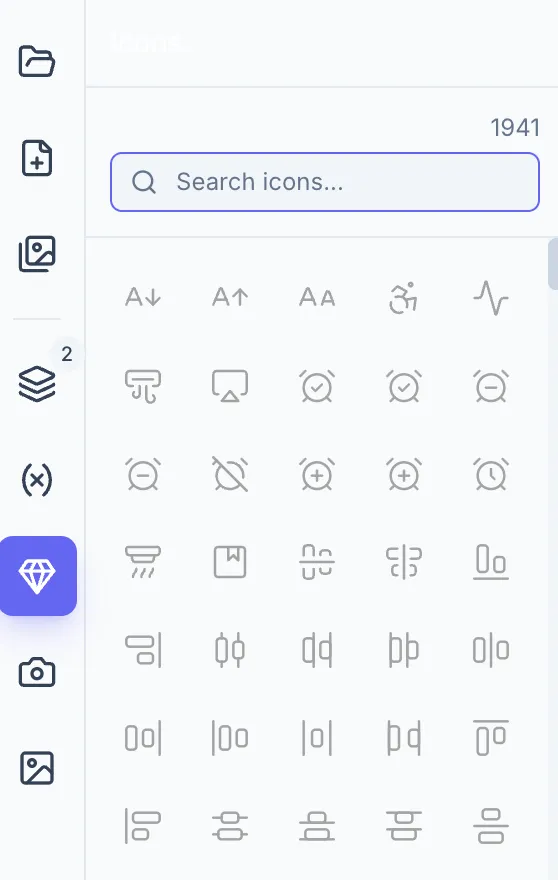
Section titled “Opening the Icons panel”Click the Icons icon in the left sidebar rail (gem icon, tooltip: “Icons”). A searchable panel of vector icons opens.
Browsing and searching
Section titled “Browsing and searching”- Type in the search field to filter icons by name or keyword.
- The grid shows matching icons in a 5-column layout; scroll to browse the full set.
Adding an icon
Section titled “Adding an icon”Click any icon thumbnail. It is placed at the center of the canvas (or near the current viewport center if zoomed in) as a selected element — drag it to position.
Icon properties
Section titled “Icon properties”Select an icon element and go to the Design tab → Appearance section:
| Property | Description |
|---|---|
| Icon | Shows the icon name; click to open the icon picker and swap the icon |
| Color | Fill color of the icon |
| Stroke Width | Line weight of the icon strokes (0.5–4, step 0.25) |
Icons scale cleanly to any size because they are rendered as vectors.