

Projects Overview
A project is the top-level organizer for your design work. Think of it like a folder for a campaign, product, or client — it holds one or more templates that share a purpose.
The Project Picker
Section titled “The Project Picker”When no project is open, the Designer shows the Project Picker — a list of all your recent projects.
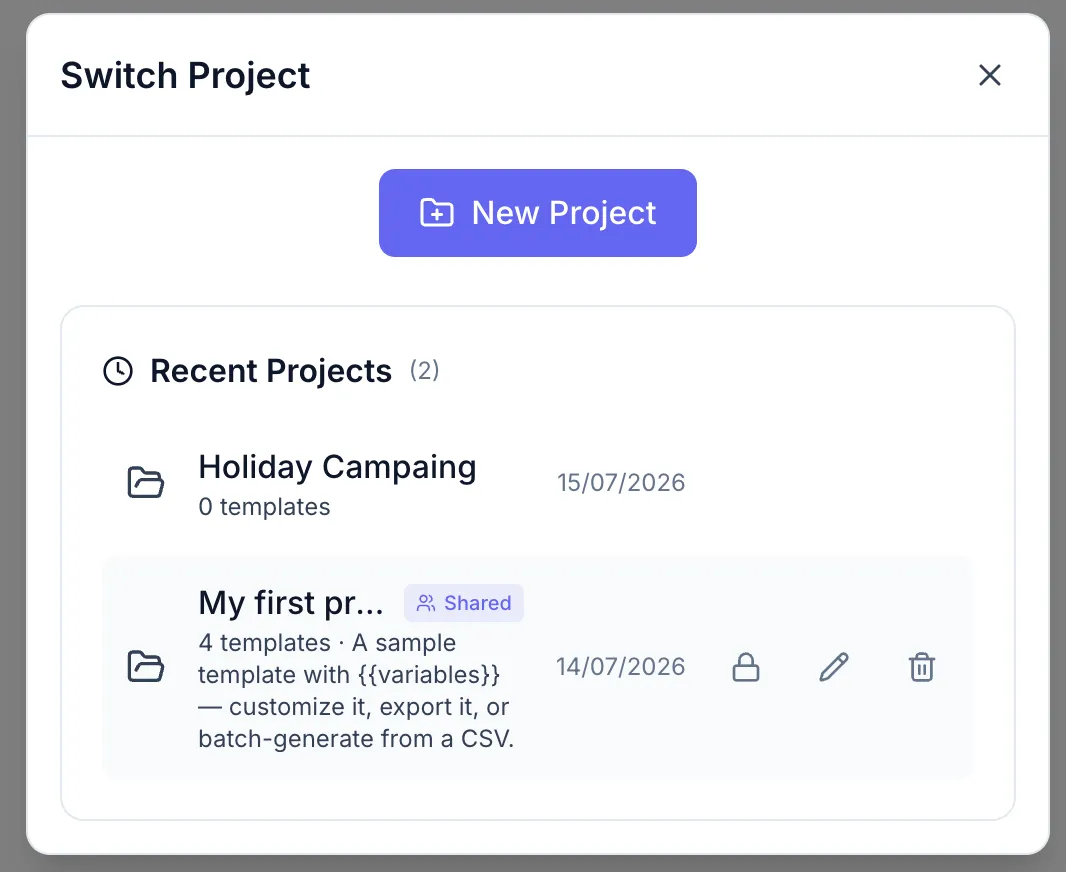
From here you can:
- Open a project by clicking its name.
- Rename a project (pencil icon on hover).
- Share or unshare it (lock icon on hover) — see Sharing Projects.
- Delete it (trash icon on hover, confirmation required).
- Create a new project (New Project button).
Private vs Shared
Section titled “Private vs Shared”| Visibility | Who can see it |
|---|---|
| Private (default) | Only you (the creator) |
| Shared | All members of your workspace |
Empty state
Section titled “Empty state”A new or empty project shows the empty-project screen with two options: Create New Canvas and Choose from Built-in Templates.